Tapeloop

Record the past.

Your Mac keeps the last minutes of your microphone and its own sound in memory. When something worth keeping happens, save it after the fact.

Free and open source · macOS 14 or later · Apple silicon and Intel

Always listening.
Never keeping.

Tapeloop is a quiet cassette in your menu bar. It holds a rolling stretch of audio and lets the rest go, until you ask it to keep something.

In memory only.

Audio is compressed and held in memory: about 22 MB an hour per source. Nothing touches the disk until you save.

Saved after the fact.

Drag back along the timeline, or press ⌃⌥S anywhere, and the last minutes become an ordinary audio file.

Never uploaded.

Your recordings stay on your Mac. Tapeloop sends nothing anywhere and has no account, no analytics and no cloud.

Rewind, listen,
then keep.

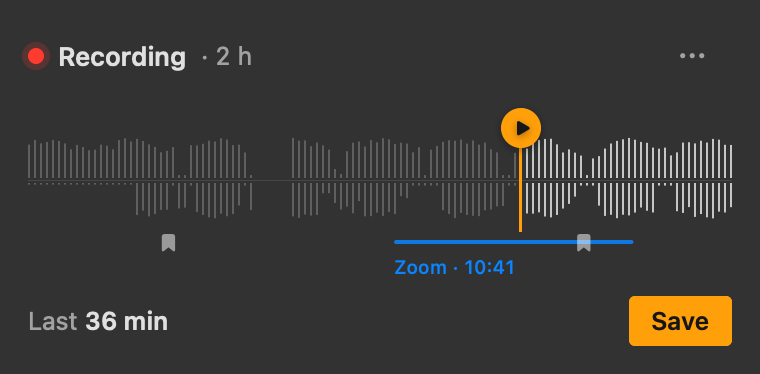
The tape shows your voice above the line and your Mac's sound below it. Drag the handle back to the moment it started, press play to hear it without saving, and keep it with one click.

⌃⌥S Save the last minutes
⌃⌥B Bookmark this moment
⌃⌥P Pause or resume
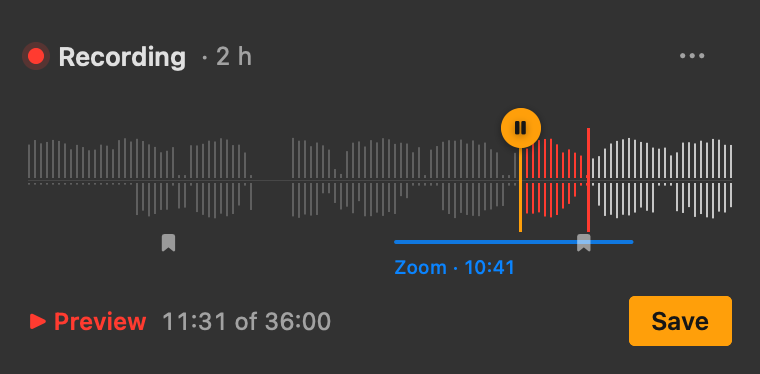
The Tapeloop popover previewing the last 36 minutes: the part already played is red, with the play position under the tape.

Meetings,
caught whole.

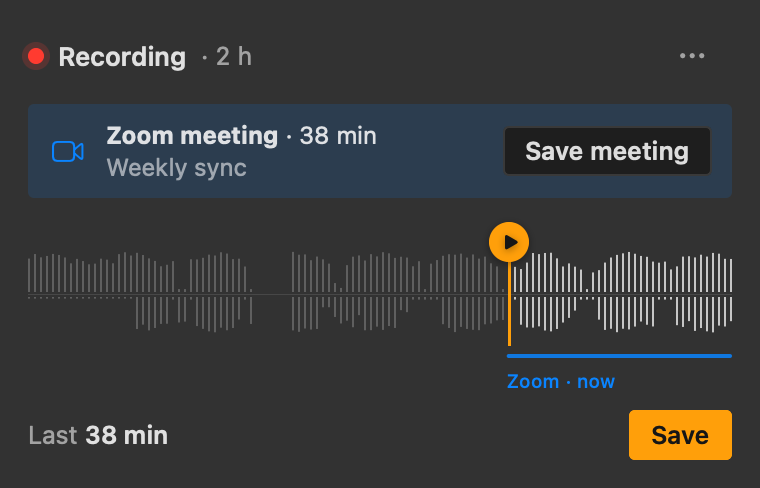
When Zoom, Teams, FaceTime or a browser call starts using the microphone, Tapeloop marks the meeting on the tape and offers to save all of it, named after your calendar event if you allow that.

A meeting banner in the popover offering to save the whole Zoom meeting.

Words, on your Mac.

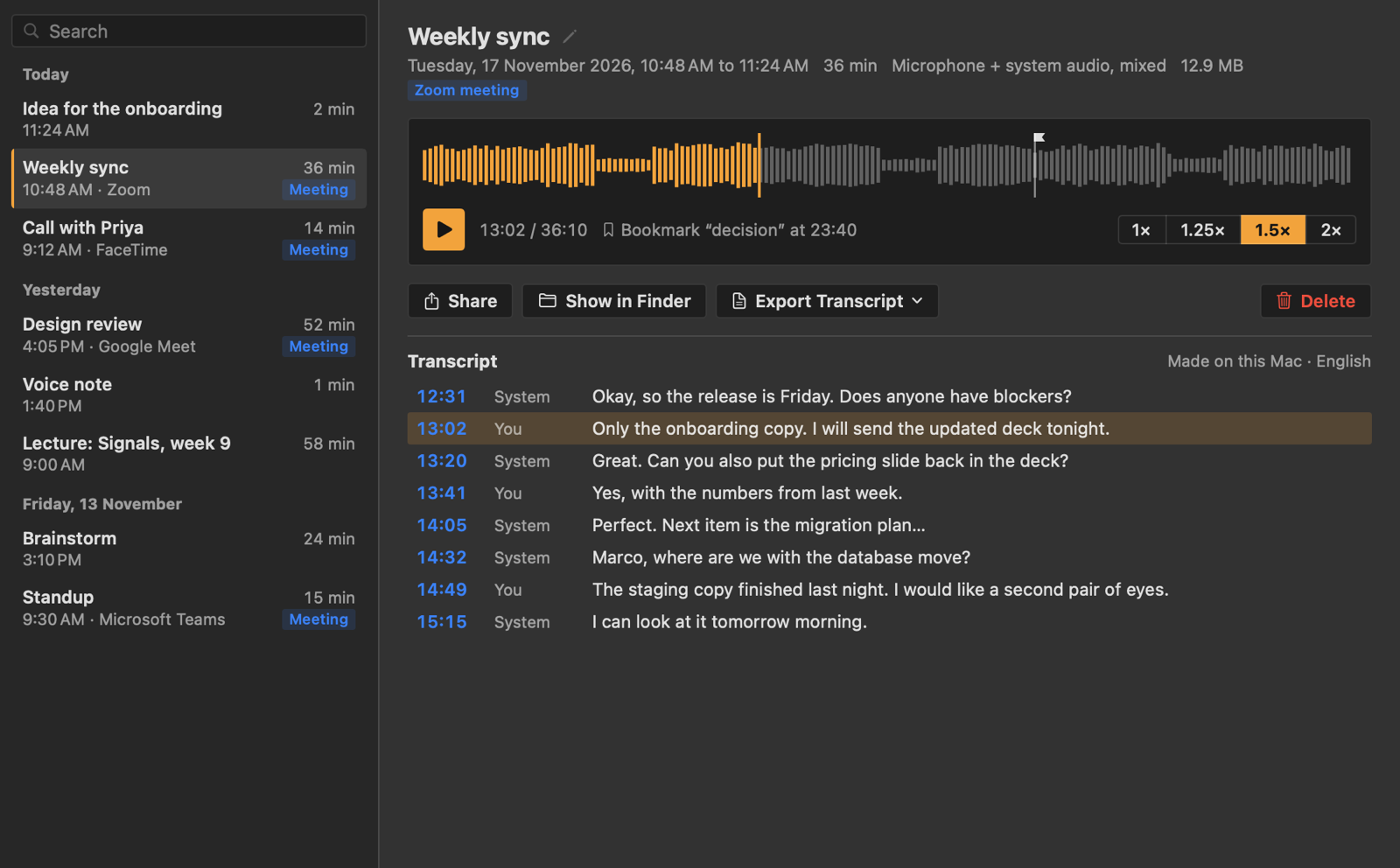
Optional transcripts come from NVIDIA Parakeet, running on your Mac's graphics processor. Lines are marked as you or the other side. Download the model only if you want it.

The Tapeloop Library: recordings grouped by day, a waveform player with bookmarks, and a transcript with You and System lines.
2h
kept by default
22MB
memory per hour, per source
0bytes
of your audio uploaded
MIT
open-source licence

Barely there.

One small process that encodes audio and holds it. No helpers, no web views, no disk writes, nothing waking your Mac while you are not looking.

1%
of one CPU core while recording
13MB
of memory, plus the audio held
0bytes
written to disk until you save
0.1
wake-ups a second

Read the performance report

Private by design.

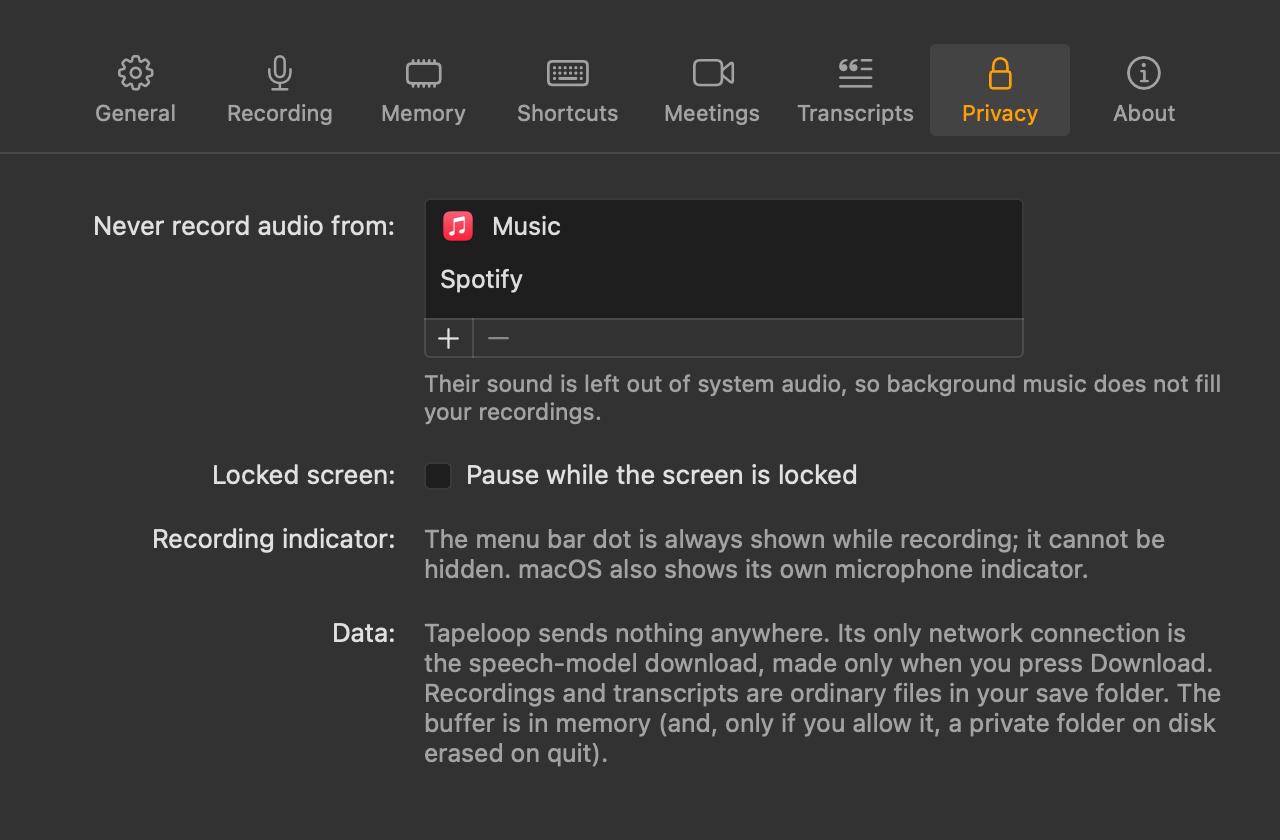
The buffer lives in memory and is erased when Tapeloop quits. Recordings and transcripts are plain files in a folder you choose. The only download is the optional speech model, made when you press Download and checked against its fingerprint.

The amber dot in the menu bar is always visible while recording, and macOS shows its own microphone indicator too. Recording others may need their consent where you live.

Tapeloop's Privacy settings: apps whose sound is never recorded, a pause-when-locked option, and how data is kept.

Never miss it again.

Free, open source, and built to be extended.

macOS 14 Sonoma or later. System audio needs macOS 14.2.